Document conversion · 6 min read · Updated June 2026
PDF to Word: Why Some Files Convert Cleanly and Others Do Not
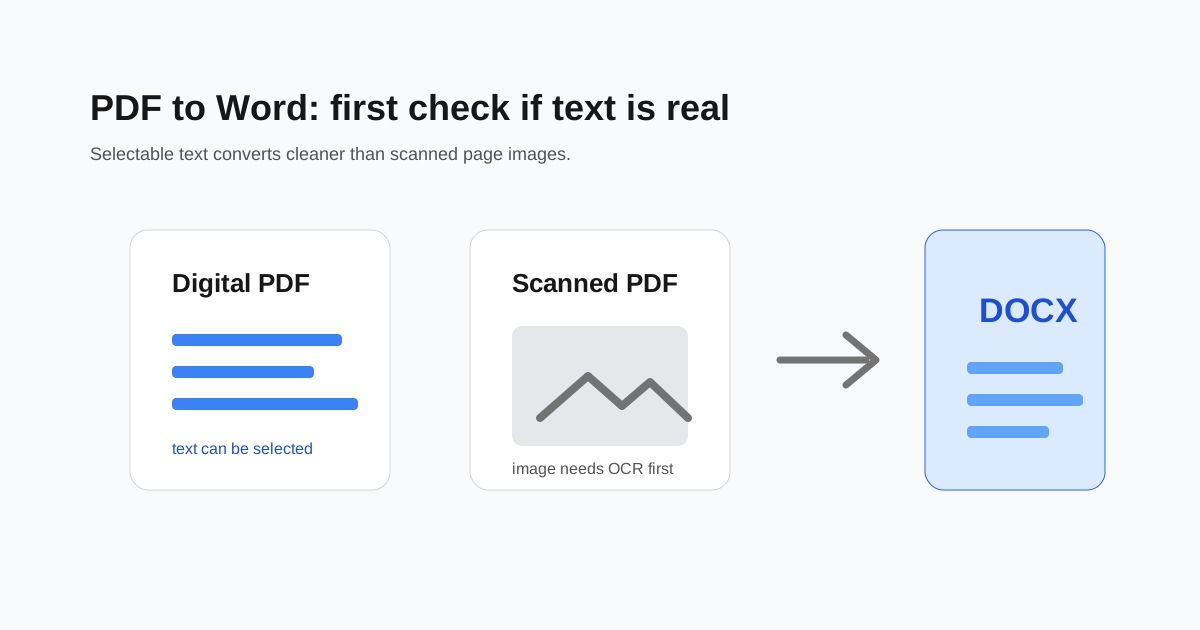
A PDF can look like a normal document while hiding two very different structures underneath. One PDF may contain real text, fonts, and tables. Another may be a stack of page photos from a scanner. Word conversion depends heavily on which one you have.
Try selecting a sentence
If you can drag across a sentence and copy it, the PDF probably has real text. That type usually converts to Word with better paragraphs, headings, and tables.
If dragging selects the whole page like a picture, the file is scanned. It needs OCR before it can become truly editable.
Why formatting changes happen
PDFs are designed to preserve appearance, not editing structure. A Word file knows about paragraphs, margins, lists, and styles. A PDF often stores many small positioned text boxes instead.
That is why complex brochures, invoices, and multi-column reports may need cleanup after conversion even when the text is real.
- - Tables may convert as separate text boxes.
- - Headers and footers may become normal body text.
- - Columns can appear out of order.
- - Scanned pages need OCR and proofreading.
Best workflow for scanned PDFs
Run OCR first, then convert to Word. OCR adds a text layer to scanned pages, but it is not perfect. Always proofread names, totals, dates, and any text from stamps or handwriting.
When Word is the wrong target
If you only need to copy text, extract text instead of converting the whole layout. If you only need to sign or rearrange pages, keep the file as a PDF and edit the PDF directly.
Questions people ask
Why is my converted Word file full of text boxes?
The PDF likely stored text as positioned blocks. Word recreates that layout with boxes, which may need manual cleanup.
Can a scanned PDF become editable Word?
Yes, but OCR is required first, and the result should be proofread carefully.
Will tables stay perfect?
Simple tables often convert well. Complex tables with merged cells, rotated text, or scanned images may need manual repair.